Keyboard Shortcuts
Navigate PR Flow efficiently with global keyboard shortcuts.
PR Flow features a comprehensive, customizable keyboard shortcut system designed to keep your hands on the keyboard and out of the mouse.
The Cheatsheet
You can view the list of available shortcuts at any time by pressing Mod + / (or Cmd + / on Mac, Ctrl + / on Windows).
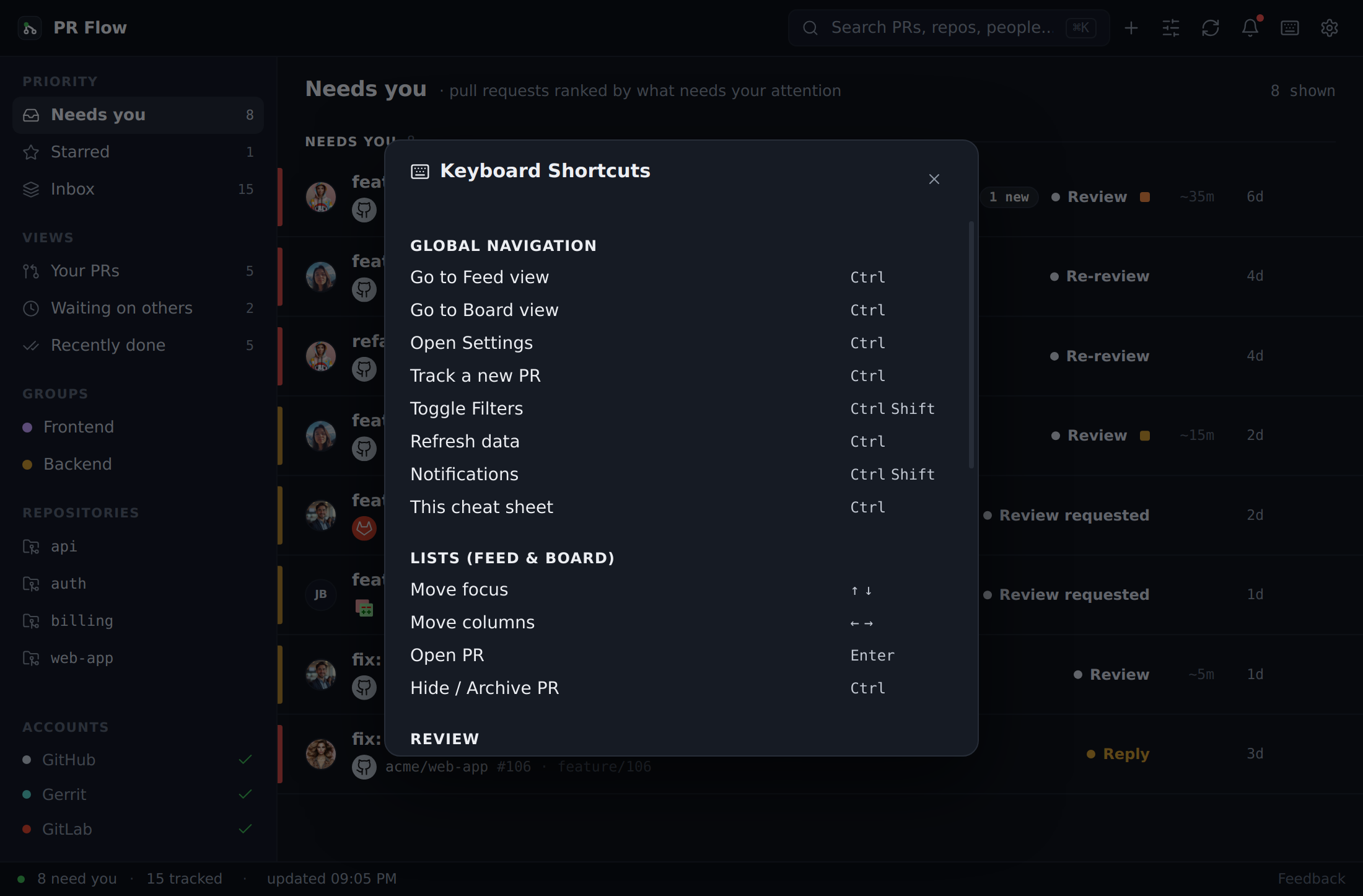
Global Navigation
Navigate anywhere in the app without touching the mouse:
- Go to Feed view: Mod + 1
- Go to Board view: Mod + 2
- Track a new PR: Mod + N
- Toggle Filters: Mod + Shift + F
- Open Notifications: Mod + Shift + N
- Open Settings: Mod + ,
Display
- Zoom in: Mod + +
- Zoom out: Mod + -
- Reset zoom to 100%: Mod + 0
These step through five sizes — 80% to 125% — and scale the whole app, the menu-bar glance included. Unlike the shortcuts below, they work even while a text box has focus, and they are answered by PR Flow itself rather than by the shortcut system — so they cannot be remapped, and no other shortcut can claim those keys. See Settings & Notifications for the matching controls and for sizing diff text separately.
List Navigation
When viewing your PR feed or board:
- Move focus: Use ↑ and ↓ (or ← and → in Board view) to navigate between PRs.
- Open PR: Press Enter to open the focused PR.
- Hide / Archive PR: Press Mod + E to quickly hide a PR from your feed.
Customization
All shortcuts can be remapped to fit your workflow. Navigate to Settings → Shortcuts to edit any global or list navigation shortcut. If you prefer to disable the global shortcut system entirely, you can toggle it off from this screen as well.
The zoom keys are the exception: they are listed there for completeness but cannot be reassigned, and 0, - and = are not accepted as bindings for anything else.