Introduction
The pull requests you actually care about, ranked by what needs you.
PR Flow is a macOS, Windows, and Linux menu-bar dashboard for the pull requests and code reviews you actually care about.
It pulls your open PRs from GitHub, GitLab, and Gerrit, classifies each change into a smart Kanban-style board, and quietly nudges you when something needs your attention.
Why PR Flow?
Most developers spend too much time refreshing browser tabs or digging through noisy email notifications trying to figure out what they need to review. PR Flow solves this by living in your menu bar and putting the most pressing reviews at the top of your feed.
- Local-First & Secure: PR Flow operates entirely locally. It reads your PRs by delegating to the official CLI tools you already trust (
gh,glab,acli) and never sends your source code to a third-party backend server. - True Signal, No Noise: The dashboard differentiates between "your PRs" and "their PRs", ensuring you only get notified when your specific input is blocking progress.
- AI-Powered Deep Review: Integrated directly with the Antigravity, Claude, and Codex CLIs, PR Flow can summarize threads, estimate review complexity, and provide deep inline review comments before you even open the diff.
The Core Loop
PR Flow stays out of your way until you are needed.
- Keep an eye on the menu-bar tray for a live count of unread notifications and pending reviews.
- When you have a few minutes, click the tray icon to see a quick glance of the top items.
- Expand the main window to view the Board, showing everything divided into ** You**, Waiting, and Done.
- Click into any PR to read the diff, interact with AI findings, and submit your review—without ever leaving the app. Nothing posts until you click submit.
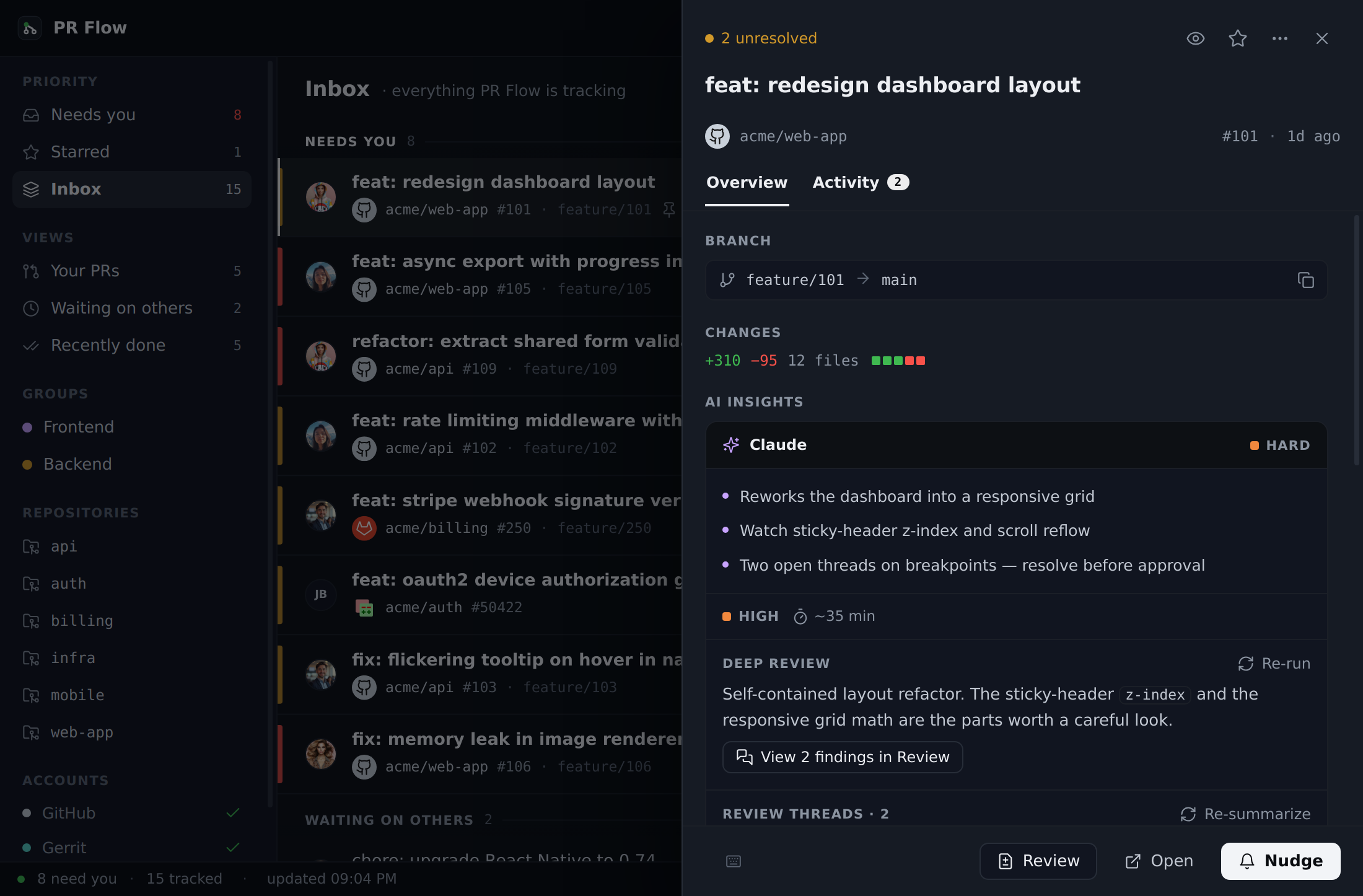
Understand what changed
Open any pull request and choose Activity beside Overview to scan its history without digging through the provider website. The workspace groups each review thread into one conversation, combines related commit pushes, and shows review outcomes, unread activity, resolved or outdated state, and file context. Each review also says which commit it was given on and what has landed since — "at abc1234 · 2 commits since" on GitHub, or the patch set on Gerrit. GitLab and Azure DevOps don't record that; where their reviews appear, PR Flow says so rather than guess. Opening a conversation or comment takes you to that exact item in PR Flow's Review view when available; other events fall back to their provider page.
Use Relevant, All, Conversations, Reviews, and Commits to focus the timeline. Long histories start with the newest 25 loaded events; Load older reveals the next page and Back to newest returns to current activity. If the connected provider reports that more history exists than PR Flow loaded, the workspace says so and offers a link to the complete history.