Settings & Notifications
Configure attention alerts, digests, and teams.
PR Flow is designed to be quiet. It doesn't send you a notification for every single comment—only when a PR transitions into a state that actually blocks you or your team.
Notification Types
You can configure these options in Settings.
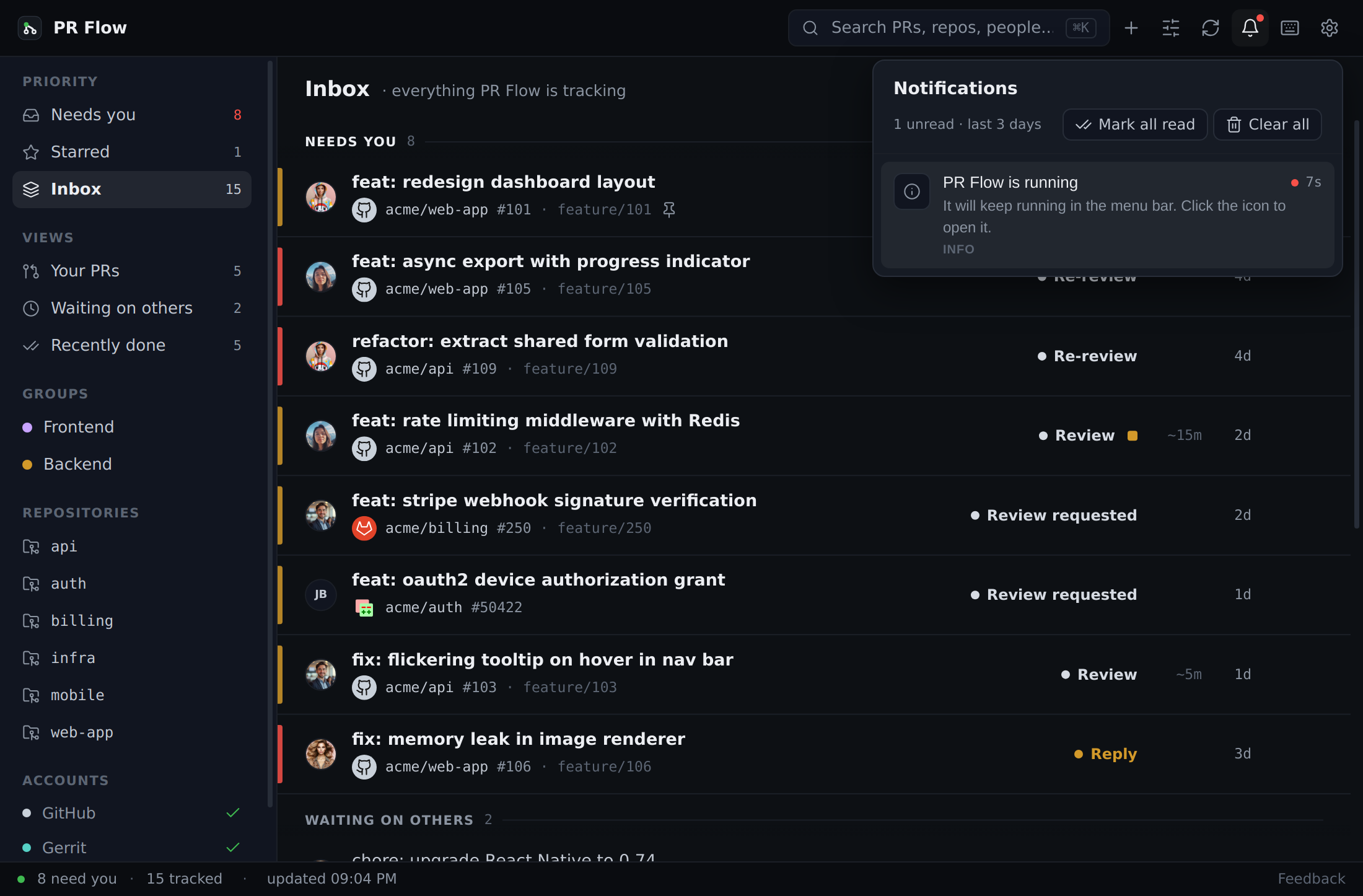
Reactive Pings
Turn on Reactive pings to hear when a tracked pull request newly needs your attention or has been waiting too long. Selecting the alert brings PR Flow forward and opens that pull request directly instead of sending you to a browser.
When the new work is a reply, the alert names the person waiting and the number of conversations. Selecting it opens Review at that exact conversation. The matching entry under the bell retains the same destination, so acting from notification history behaves exactly like acting from the operating-system alert.
If new work accumulated while PR Flow was closed, the next successful launch sends one consolidated catch-up alert instead of a burst of individual notifications. Because it summarizes the queue rather than one conversation, selecting it opens Needs you. Attention that was already known before shutdown stays quiet.
Digest Notifications
Instead of real-time pings, you can configure PR Flow to give you a summary of your queue at specific times of the day, such as 09:00 and 14:00. A digest tells you:
- What needs you right now.
- What has gone stale.
PR Flow stays quiet when there is nothing in Needs you. Selecting a digest opens that view.
Notification History
The bell keeps recent alerts available when you miss an operating-system notification. Entries open the same pull request or Needs you destination as their matching alert. Clearing the complete history requires confirmation.
Teammates and Groups
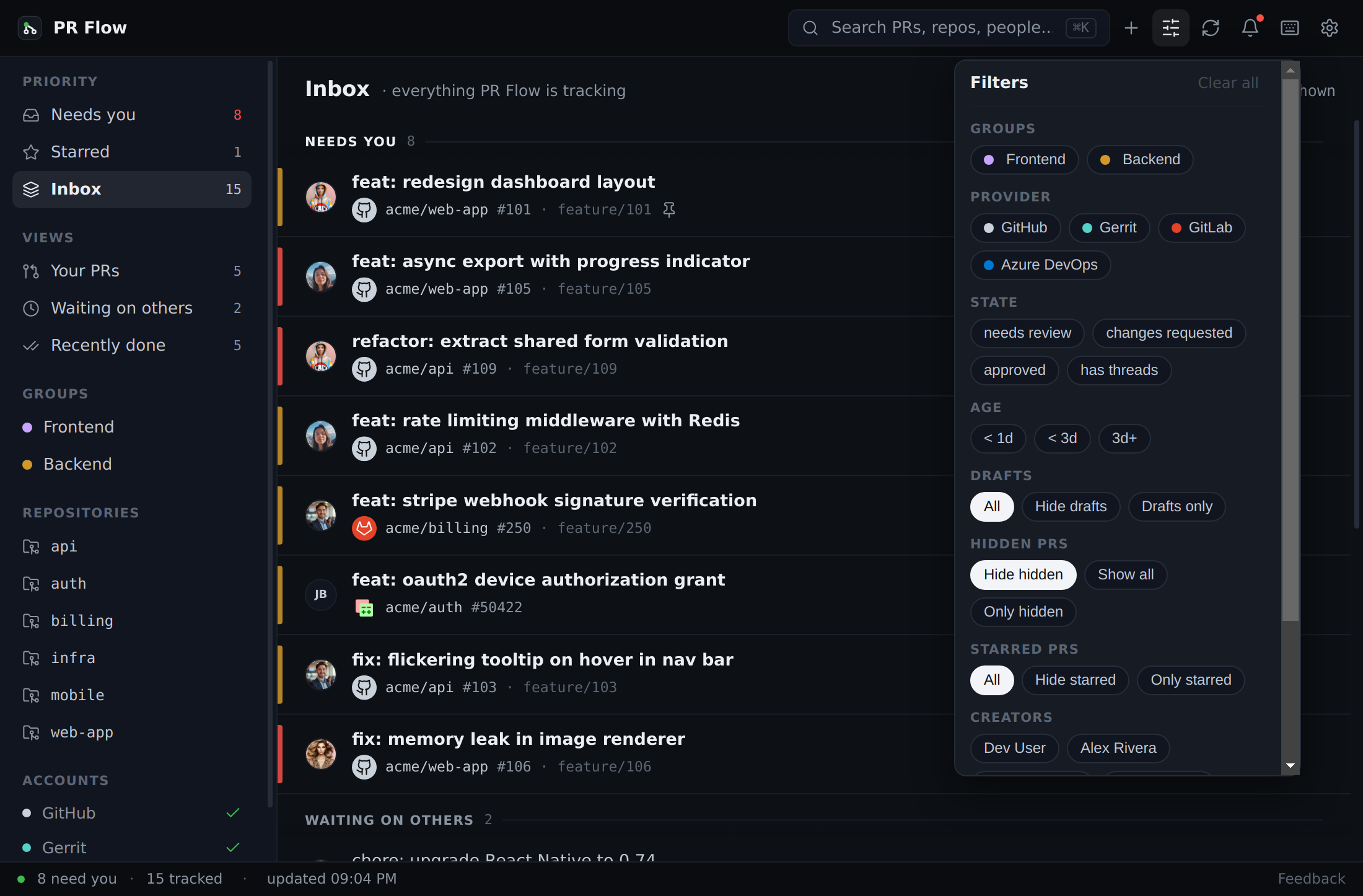
Settings → Teammates is where your roster lives. PR Flow uses it to tell your pull requests from everyone else's, so the queue knows whose move it is.
- Include direct review requests decides whether pull requests you were asked to review widen the board, even when the author is not a teammate.
- People lists everyone you track. Searching adds anyone your connected providers know — teammates are only ever created from a real match, so the list cannot fill up with handles that do not exist.
- Opening a person links the other accounts they review under, across providers or more than one on the same provider. A provider you have not connected cannot be searched, so it cannot be linked until you connect it.
- Groups organises people into squads.
- Import members automatically from GitHub, GitLab, or Gerrit.
- Filter your Board or Feed view to only show PRs relevant to a specific squad.
The same manager appears in first-run setup, so a roster you build during onboarding is the one you keep.
Features
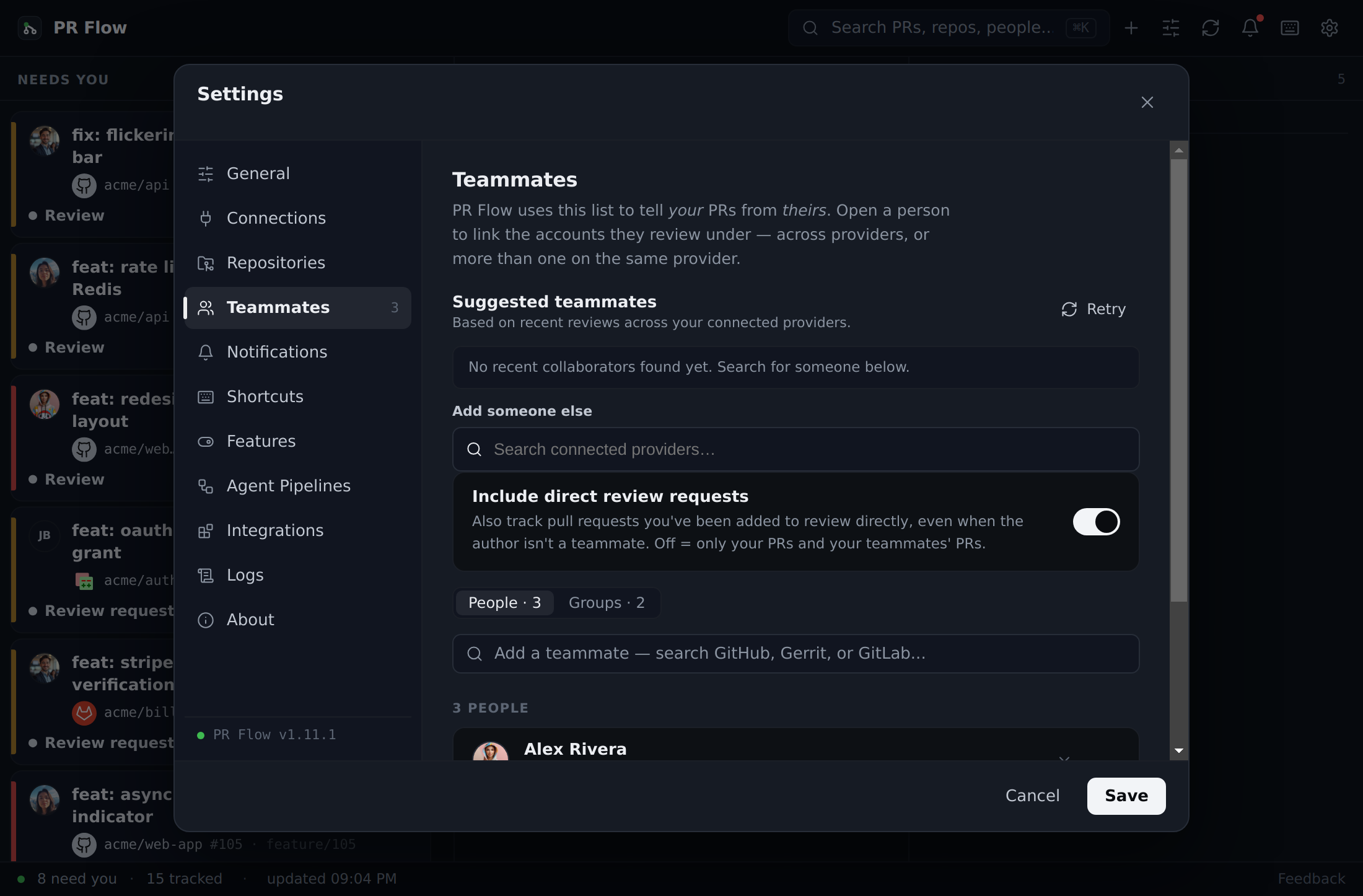
Every feature in PR Flow is on from the moment you install it, on a trial and on a paid licence alike — the trial is the same product, just time-boxed. There is nothing to discover and switch on before you can see what PR Flow does. Settings → Features is where you turn things off if you'd rather not have them.
A few features need something configured before they can act — a repository mapped to a local checkout, an AI provider, a Jira base URL. Those stay switched on and tell you exactly what's missing, rather than sitting there looking broken.
Changed your mind about a switch? Each feature you've changed offers a Reset, which clears your choice and returns that feature to its default — so a later improvement to that default reaches you rather than being blocked by a decision you made once.
Feature Policies
For enterprise setups, a seat-administrator can manage feature policies. This allows team leads to turn certain capabilities (like AI reviews) on or off for the entire team, and these changes synchronize to the UI in real time. An administrator's choice overrides the default, and a locked feature can't be changed on the seat — including by Reset.
Appearance & display
Settings → General → Appearance & display has two independent controls, because reading code and scanning a queue want different things.
Zoom
Scales the entire app — every view, dialog and the menu-bar glance — across five sizes: 80%, 90%, 100%, 110% and 125%.
You can step through them with the keys your editor and browser already use:
- Zoom in: Mod + +
- Zoom out: Mod + -
- Reset to 100%: Mod + 0
A brief badge names the new size as you step, and the keys work even while you're typing in a comment box. Your choice is remembered between launches.
Diff text size
Sizes the code itself — plus inline comments, commit messages and the file tree in review — from 11px to 16px, without changing the proportions of toolbars or tabs. That's the point of keeping it separate from zoom: you can run a compact interface to see more of your queue at a glance and still read the diff comfortably.
Line-number gutters grow with the text, and changing the size part-way through a review keeps the comment you were writing.
Backup
Settings → General → Backup saves your preferences to a file so you can carry them to another machine, or get back to a known state after experimenting.
Export settings writes a JSON file. Import settings reads one back. A backup carries your layout, teammates and groups, bot accounts, notification schedule and digest times, zoom and diff text size, keyboard shortcuts, repository mappings, editor choice, integration addresses and your feature choices.
What a backup never contains
A backup deliberately carries nothing secret and nothing tied to one machine:
- Provider connections — GitHub, GitLab, Gerrit and Azure DevOps are set up per machine.
- Credentials — passwords, personal access tokens and integration API keys stay in your operating system's encrypted store and never reach the file.
- Your licence — it's locked to one device and can't be transferred this way.
- AI providers — provider definitions and the routing that names them.
- Tracked pull requests — your board's contents, rather than a preference.
None of these can be restored from a backup either, even if the file is edited by hand — the same list governs what goes in and what comes back out. You'll reconnect your providers and enter your credentials on the new machine, then restore everything else in one step.
Restoring
Importing always confirms before it changes anything, and names what it will replace. Your teammates, groups, bot accounts and repository mappings are replaced by the lists in the file rather than merged with them, and a choice you've made locally that the backup doesn't have is cleared — so restoring genuinely returns you to the state the backup was taken in.
If the file isn't a PR Flow backup, or was written by a newer version of PR Flow than you're running, the import says so and changes nothing.