The app page
Overview, Blocked now, Reason missing, Reports and Retro: the pages under Apps in Jira.
Under Apps, the Impediment Ledger entry has these pages in Jira's sidebar. Each page keeps the project you chose last, also when you come back later.
- Overview: the numbers first (blocked now, overdue, reason missing, median time to resolve over 30 days), time by reason, the oldest blockers, the Blocker clustering · 30 days card (the five reasons taking the most time, with their count, issue-days and P85) and the weekly trend; each chart is followed by its numbers as text.
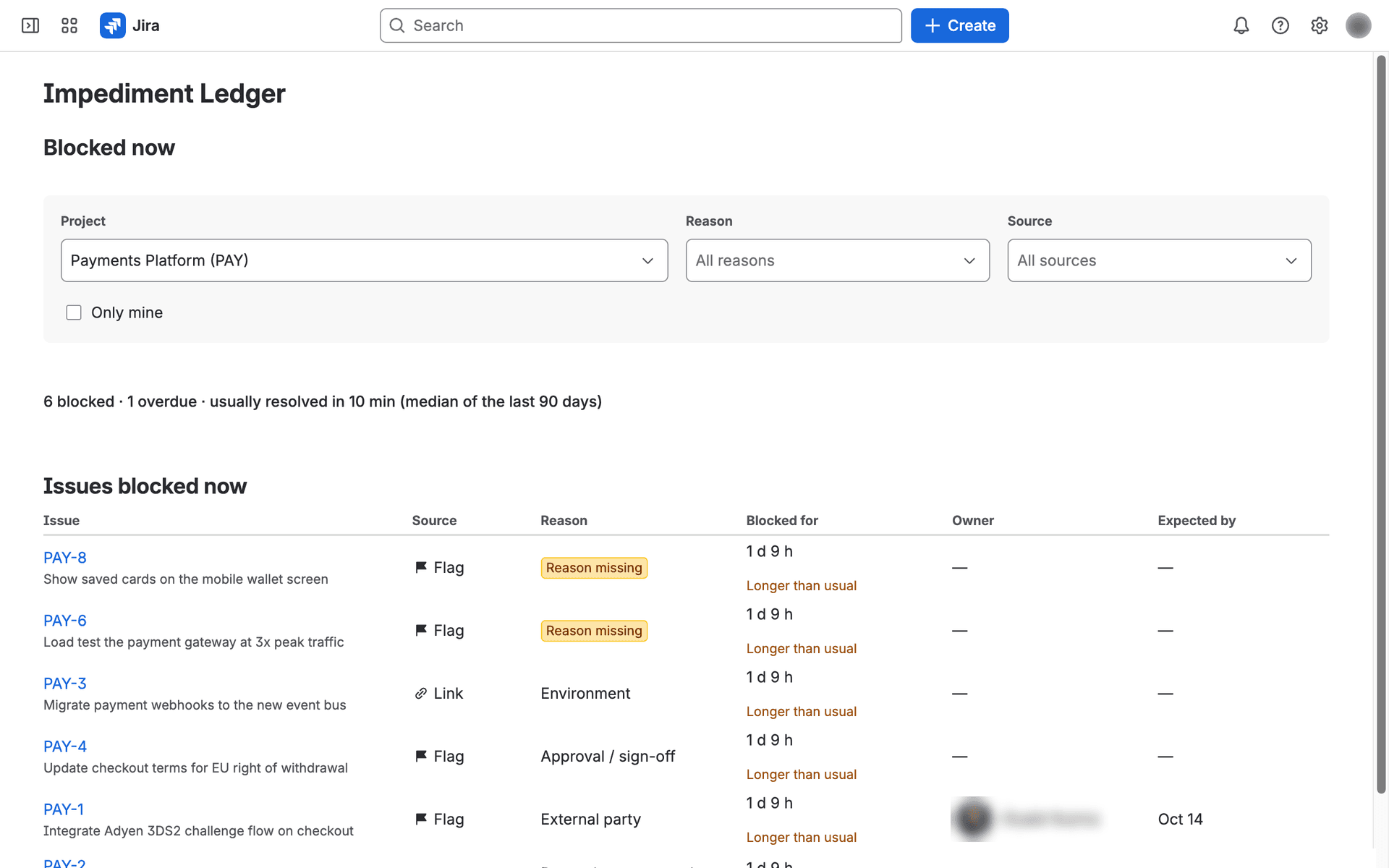
- Blocked now: the project's open blockers, oldest first, filtered by reason, by source (flag, status, link) or by "mine". Once something besides the flag holds a blocker, a Source column shows what does. The header shows how long a blocker usually takes to resolve: the median of closed blockers of the last 90 days.
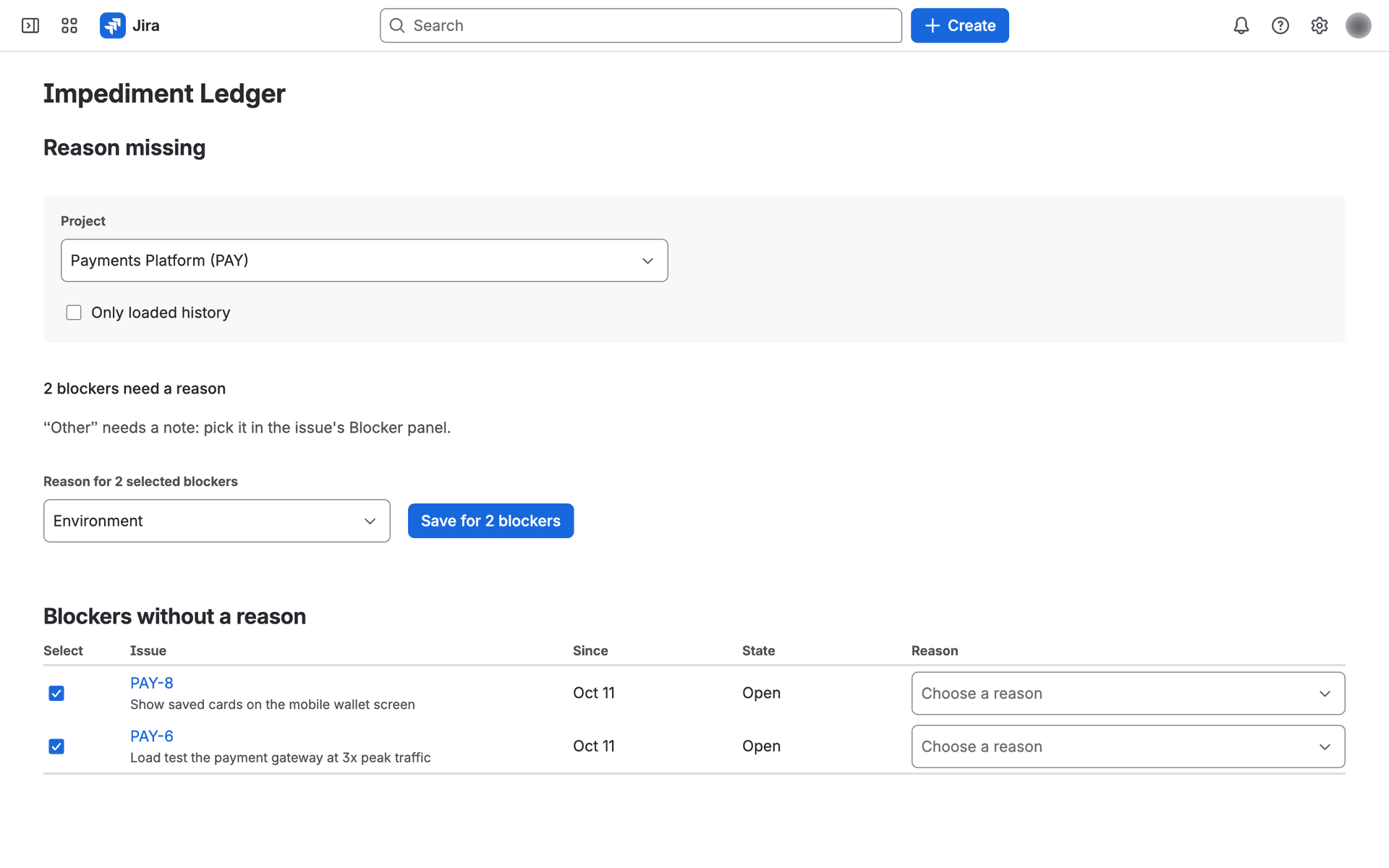
- Reason missing: blockers without a reason; add it right in the row. "Other" is not offered there, as it needs a note: pick it in the issue's Blocker panel. To give many blockers the same reason, select their rows, pick the reason above the table and choose Save for N blockers; each one is saved on its own, and a row someone changed meanwhile says so and stays selected. When the project loaded history, Only loaded history shows just the blockers from before tracking was turned on.
- While a project's history is loading, the Overview says how far it is ("Loading history: 42%"); its numbers grow as it loads.
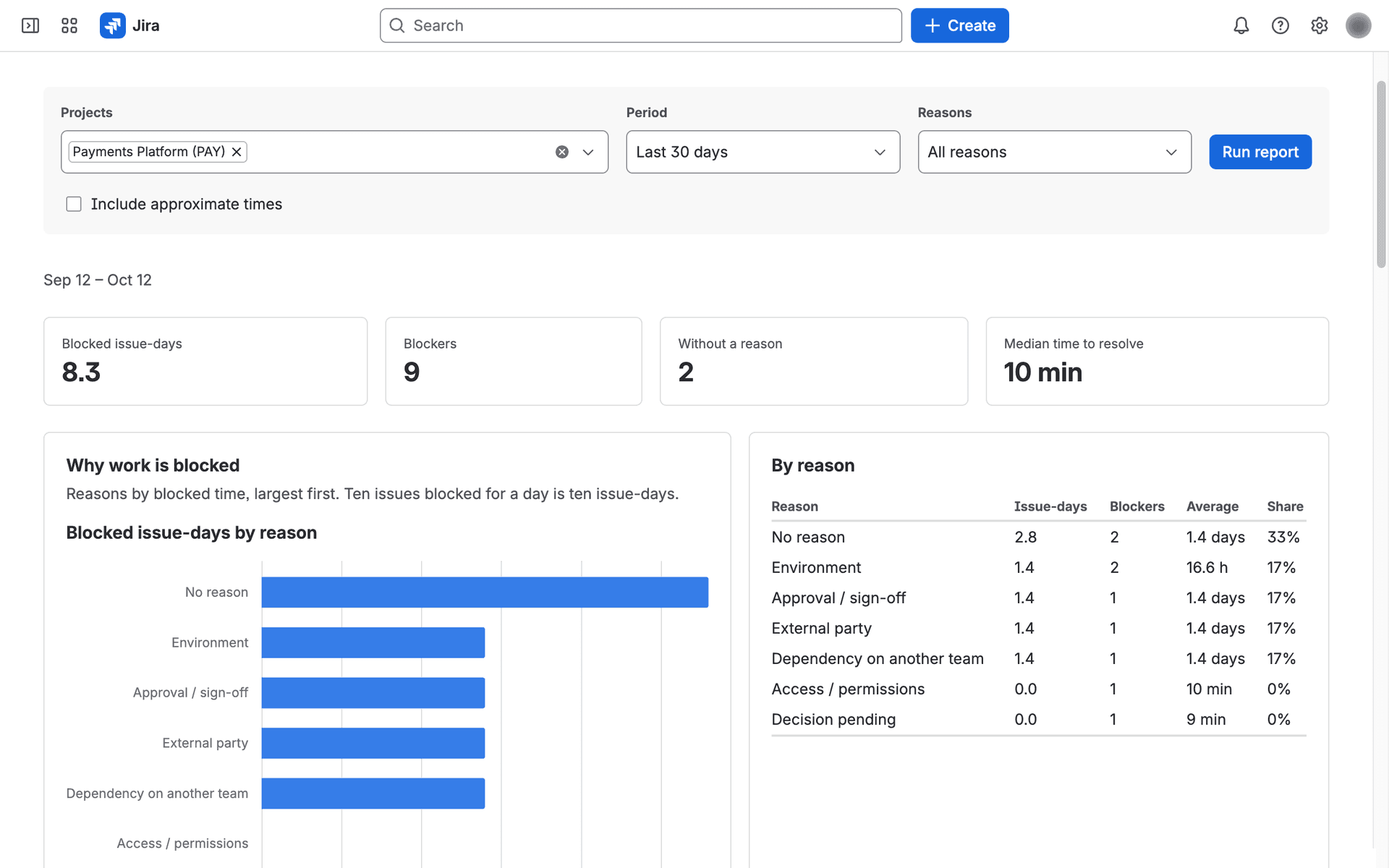
- Reports: blockers of the chosen projects and period by reason (Pareto), weekly trend, duration distribution, repeat blockers and open blockers per owner, each chart with a table. Blocker clustering shows one row per reason: blockers, issue-days, the average and P50/P85/P95 of how long the resolved ones lasted, how many are open now (and the oldest), and whether the reason is internal or external. Each number sits in a shaded cell (darker = larger within the column; the number is always shown). Order by Total time or Count, group by internal / external or by source, and select a reason to open its Retro for the same period. The percentiles are within 2% of the exact value (durations under a minute count as 0); count, issue-days, average and the oldest open one are exact. A report reads at most 2,000 blockers; above that it is partial (no shares, no per-blocker CSV, no Retro), so choose a shorter period or fewer projects. Blocked time by source (shown once a status or a link started a blocker) splits the time by what started each blocker; each blocker counts once. Export gives CSV (weekly summary or one row per blocker); notes are never exported.
- Retro: the top three reasons of the last two weeks (or of the period you choose) with their blockers, notes and resolutions, for your team's retrospective. Opened from Blocker clustering, it shows that one reason; Show the top reasons goes back. Copy retro notes prepares Markdown for a Confluence page in your language: the period, the reasons with issue-days and blockers, then each reason's blockers with key, summary, duration, note and resolution. Copy it with the button on the block. Only issues you can browse are included; the notes hold at most 200 blockers and say so when the period has more.
You only see issues you can browse in Jira; report counts and CSV rows are filtered the same way.