On the board
The Blockers dialog from the board, backlog and sprint menus: what it shows and what it follows.
Board cards cannot show the app's reasons (a Jira limitation), so the board's ••• menu has Blockers. The same dialog opens from the backlog's ••• menu (all the project's open blockers) and from a sprint card's ••• menu in the backlog (that sprint's blockers, active or future; clear Only this sprint for the whole project's). It opens a dialog with the board project's open blockers: on a scrum board only those in the active sprint (clear Only the active sprint to see the whole project). At the top: blocked now, overdue, reason missing and the median time to resolve over 90 days. Then the blockers without a reason, each with a reason list that saves as soon as you pick one (the row stays and says Saved; "Other" needs a note, so pick it in the issue's Blocker panel), then the others, oldest first, with reason, how long, owner, expected date and what holds them (flag, status, or the blocking issue's key). "Longer than usual" marks a blocker past the project's usual time to resolve (P85 of the last 90 days); "Overdue" one past its expected date.
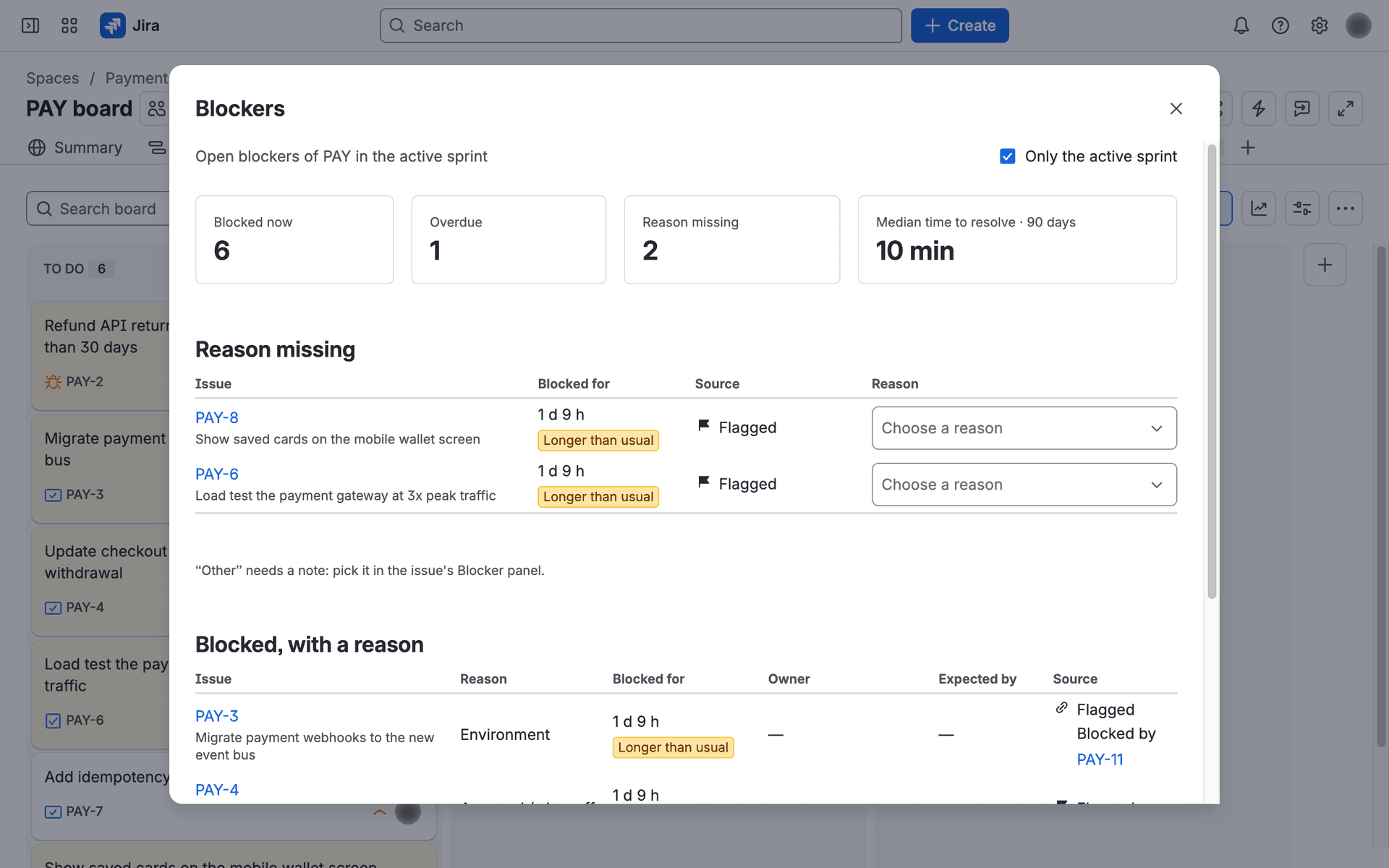
The dialog follows the board's project and active sprint; it does not know the board's own filter (for example a component or label, or a board across several projects): it says at the top what it shows. You see only issues you can browse, as everywhere in the app.