Adding the reason
Give a flagged or blocked issue its reason, note, owner and expected date, and write the resolution ahead.
Adding the reason
- Flag the issue in Jira (from the board, the issue ••• menu or Automation).
- Within a few seconds the issue's Blocker panel shows "Flagged, no reason" with a "Why is it blocked?" list: picking a reason saves it.
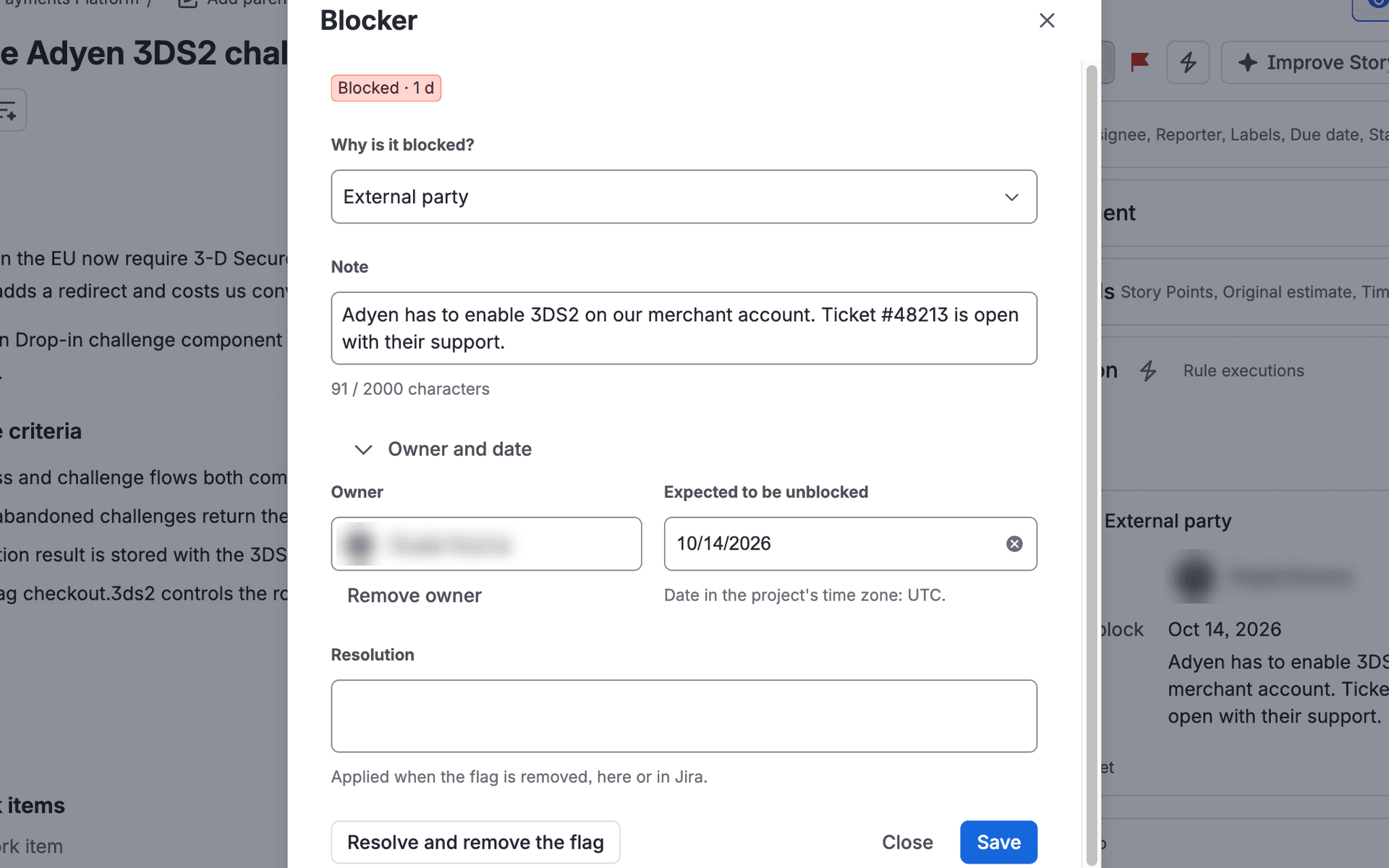
- For a note, an owner or an expected unblock date, open Blocker from the issue ••• menu. Save keeps the dialog open. Changing the note, owner or date of a flag that has no reason yet needs a reason too: until you pick one, Save stays off and says so.
- You can write the resolution in advance: it is kept as a draft when you leave the field, and it becomes the resolution when the flag is removed, in the app or in Jira.
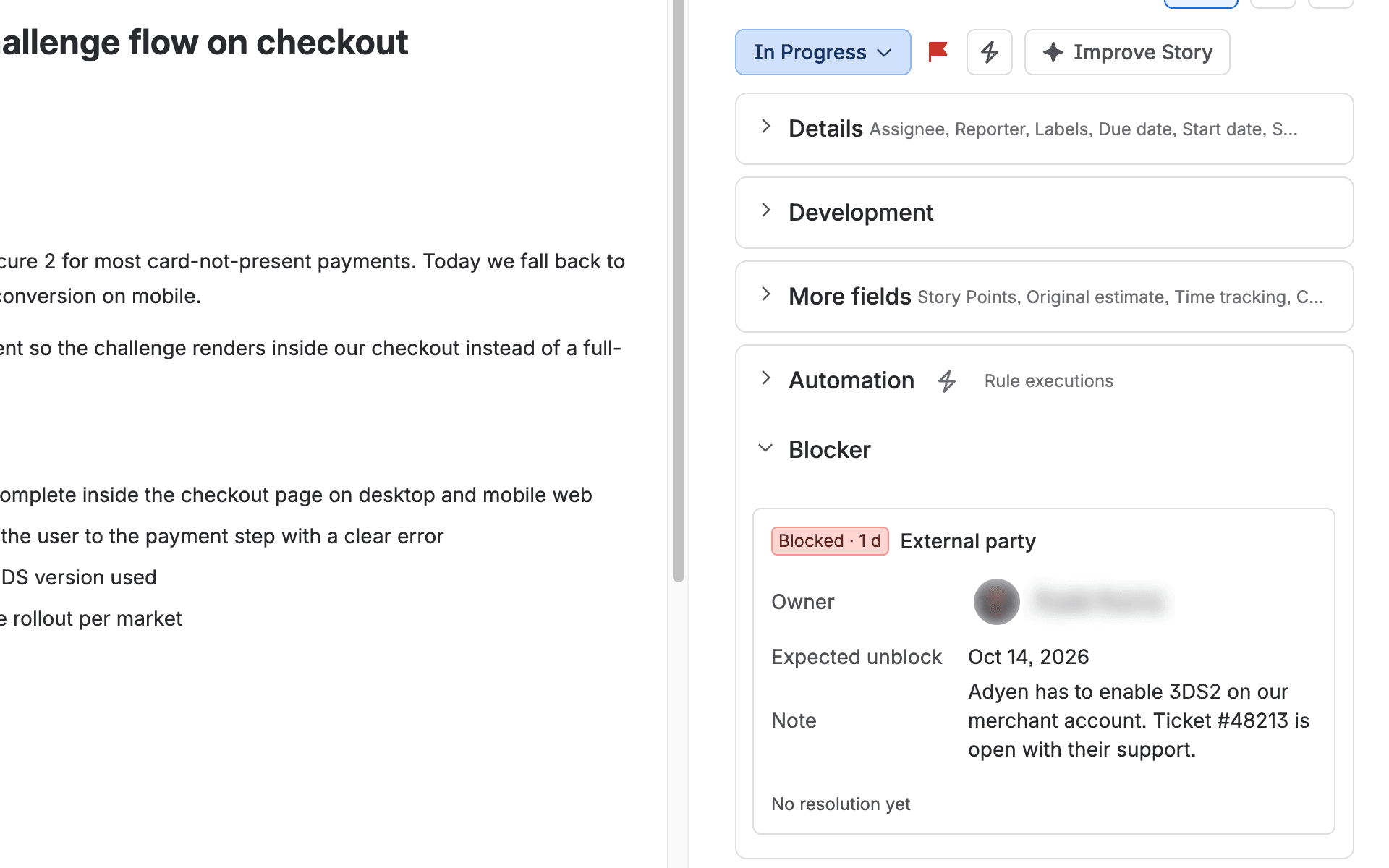
A note typed into Jira's own Add flag dialog becomes the blocker's note (when the blocker has none yet). A note typed when removing the flag in Jira becomes the resolution, unless one was written in advance: that one wins. Only comments everyone on the issue can read are used: a comment restricted to a group or role (or internal to a service desk) never is, and a mention is kept as "@…" without the name.
"Other" needs a note. Notes are limited to 2,000 characters. The expected date is in the project's time zone. After the flag is removed, the panel shows the blocker for two weeks with its resolution, or a field to add it.
Close waits until the draft being saved is saved. If something else you changed is not saved yet, the dialog asks first: Save or Discard. (Jira's own × and Esc close the dialog without asking.)
When Jira flagged the issue a moment ago, the panel and the dialog show that the flag is being processed and check again by themselves. If it takes unusually long, they stop and offer Check again.
Blocked by a status or a link
If the site's or the project's signals include them (when tracking is first turned on, the app saves the suggested signals unless someone chose already), an issue in a blocked status (for example "Blocked") or with an "is blocked by" link to an issue that is not done counts as blocked too, without a flag. The Blocker panel and the Blocker dialog then say what holds it ("Flagged", "Status: Blocked", "Blocked by IP-4 (In Progress)", with a link to the blocking issue). When a link holds it and it has no reason yet, the panel suggests Dependency on another team: Use this reason saves it (nothing is saved until you do). The blocker ends when the last signal ends: when the issue leaves the status, the link is removed or the blocking issue is done. Removing the flag from the app is offered only when nothing but the flag holds the blocker (the app never changes statuses or links).
When it is not a blocker
Some teams also flag for other reasons, for example to mark something important. Choose the reason Not a blocker (the last one, set apart from the others): the flag stays in Jira, but reports don't count it as a blocker. Choose any other reason to count it as a blocker again. If flagging from the app is on, Remove the flag takes such a flag off.